

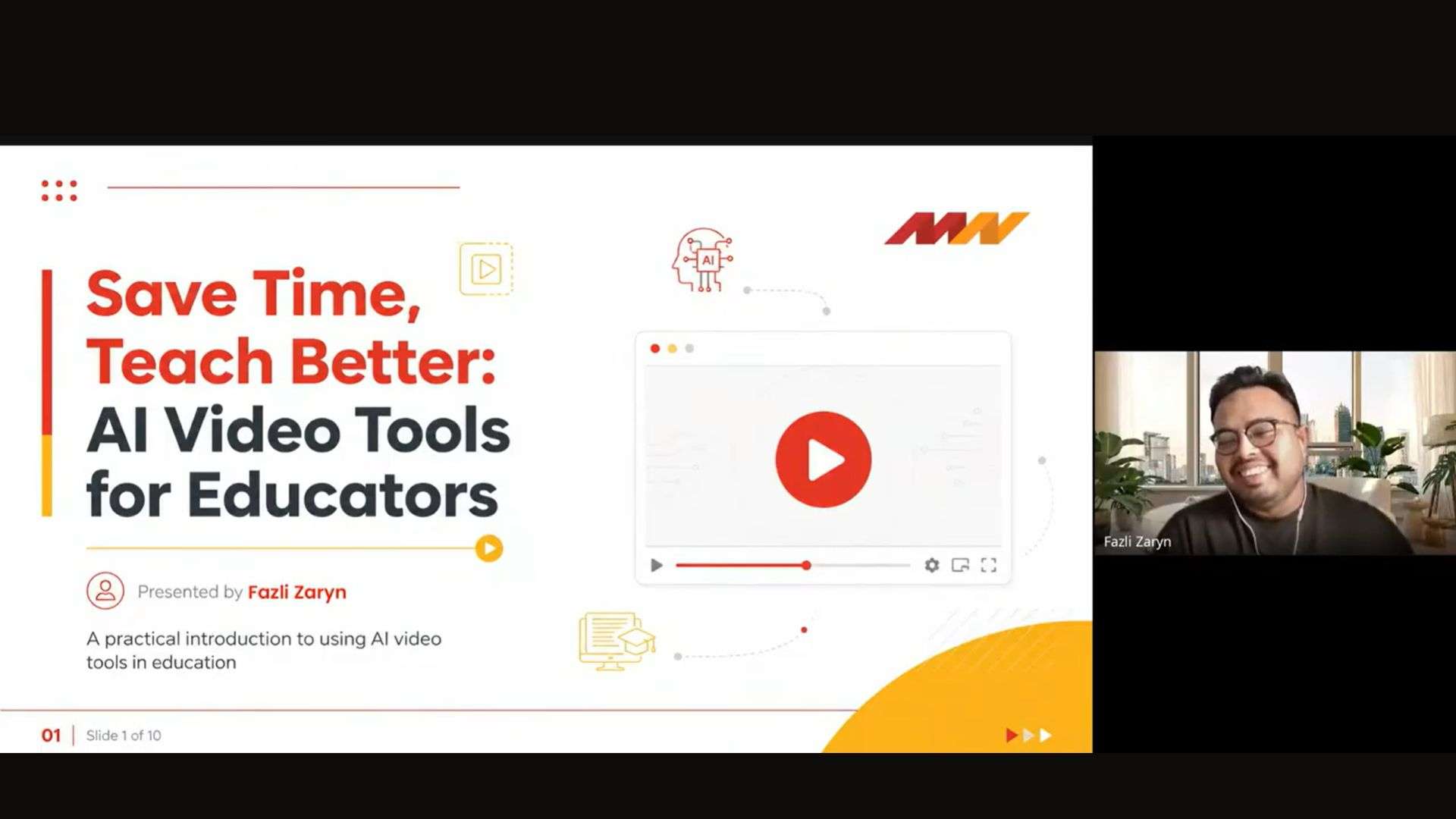
The Fifth #LearnWithPukunui Webinar Explores How AI Video Tools Can Help Educators Save Time and Teach Better
Creating engaging learning materials has become an increasingly important part of teaching. Beyond delivering lectures, educators are often expected to produce videos, support different learning preferences, explain complex topics clearly, and maintain student engagement across face-to-face and digital environments.
In our recent Learn with Pukunui webinar, Save Time, Teach Better: AI Video Tools for Educators, creative strategist and AI educator Fazli Zaryn explored how AI-powered video tools can help educators reduce content creation time while maintaining meaningful learning experiences. Rather than replacing teachers, the discussion focused on how AI can act as a practical assistant that supports teaching, accessibility, and communication.
The Reality of Modern Teaching: More Expectations, Limited Time
Educators today balance multiple responsibilities simultaneously:
- Designing engaging lessons
- Creating materials for different learning styles
- Supporting learners outside classroom hours
- Adapting to rapidly changing technologies
- Managing administrative and communication demands
The challenge is not only teaching well, but doing so sustainably. During the webinar, the speaker highlighted how AI tools may help reduce repetitive content production tasks, allowing educators to spend more time on activities that require human expertise — such as mentoring, giving feedback, and supporting students.
The key message throughout the webinar was simple:
AI should support teaching quality, not replace the teacher.
What Are AI Video Tools?
AI video tools transform prompts, scripts, slides, voice recordings, or other materials into video outputs within minutes. Depending on the platform, outputs may include:
- AI-generated presenters or avatars
- Voiceovers
- Captions and subtitles
- Translation into multiple languages
- Lesson summaries and short-form clips
- Visual explainers and simulations
This means educators can potentially move from lengthy recording and editing workflows toward faster content generation processes.
However, Fazli emphasised that educators still define:
- Learning objectives
- Accuracy of information
- Tone and suitability for students
- Context and teaching approach
AI creates; educators curate.
From Hours to Minutes: Rethinking Content Creation
Traditional educational video production often involves:
- Script preparation
- Recording multiple takes
- Editing
- Captioning
- Exporting various versions
Depending on complexity, this can require several hours or even multiple days.
In contrast, AI-assisted workflows may reduce production time significantly by generating:
- Draft scripts
- AI narration
- Captions
- Alternative language versions
- Quick edits and reusable formats
The webinar highlighted that the true value is not simply efficiency — it is reclaiming time for teaching itself.
As Fazli shared through his own production experience, traditional video creation often involves scriptwriting, guest coordination, venue preparation, recording setups, editing, and multiple rounds of production — processes that can stretch over several days depending on the complexity of the content. AI tools, by comparison, offer opportunities to significantly streamline these workflows.
Choosing AI Tools Based on Teaching Goals
One of the strongest practical takeaways from Fazli’s session was to choose AI tools according to educational objectives rather than trends.
The session demonstrated several examples:
Google Flow
Suitable for:
- Rapid AI-generated scenes
- Concept demonstrations
- Simple explainers
- Fast experimentation
HeyGen
Useful for:
- Avatar-led presentations
- Voiceovers
- Multilingual delivery
- Lecturer announcements and course introductions
Kling AI
Appropriate for:
- Storytelling
- Text-to-video creation
- Simulations
- Creative educational content
The recommendation was clear:
Start with the question: What do I want my students to understand? Then select the tool that supports that learning outcome best.
Practical Demonstrations: From AI Avatars to Multilingual Teaching
During the live demonstrations, Fazli showcased how AI-generated avatars can be adapted to different appearances, languages, and contexts, demonstrating potential applications for multilingual learning environments and personalised educational content.
Participants were also introduced to practical workflows using Google Flow and HeyGen, exploring how prompts, avatars, subtitles, and voice options can be combined to create educational videos with varying levels of realism and customisation.
The discussions moderated by Iza further explored questions around cost efficiency, consistency in AI-generated content, and how educators might begin experimenting using free versions before moving to paid subscriptions.
AI Video Does Not Mean One-Click Teaching
The webinar also explored practical limitations.
Educators were advised to:
- Start with one lesson recap or announcement
- Keep videos focused on a single learning objective
- Review facts, subtitles, visuals, and tone before sharing
- Add human examples and context
- Consider privacy, ethics, and student data protection
These recommendations reinforce a growing theme in AI adoption within education: successful implementation depends on thoughtful human oversight rather than full automation.
The Risks Educators Should Consider
The session acknowledged several concerns surrounding AI-generated educational content:
Accuracy risks
AI outputs can contain errors and require verification.
Over-reliance
Empathy, relationships, and classroom understanding remain human strengths.
Privacy concerns
Sensitive institutional or student information should not be uploaded indiscriminately into AI tools.
Accessibility and inequality
Not all learners have equal access to devices, connectivity, or learning environments. Inclusive design still matters.
The conclusion was not that AI is inherently risky, but that responsible use matters.
Looking Ahead: Human Expertise Remains Central
The future of AI in education may involve faster workflows, more personalised content, and greater accessibility. Yet the webinar repeatedly returned to one principle:
Teachers remain the most important part of learning.
AI can accelerate production and support delivery, but meaningful learning still depends on human judgement, empathy, and educational design.
As educational technologies evolve, the question may no longer be whether educators should explore AI tools, but how to achieve responsible AI integration to strengthen teaching rather than replace it.
Watch the Recording
Can the AI mimic a lecturer’s actual voice?
- Answer: The platforms demonstrated cannot directly mimic or steal a voice on the spot [31:56], but platforms like HeyGen allow you to record and safely clone your own voice to use for future avatar presentations [41:23].
What is the maximum length of a video that can be generated, or can it be specified?
- Answer: The maximum length depends on your subscription plan. Free versions generally limit video generation to under 1 minute or a few short seconds per clip [44:30]. Paid subscriptions allow videos up to 30 minutes long [43:58].
What are the free version limitations regarding credits and video downloads?
- Answer: For Google Lovo (Vio), users get a few free daily credits [34:11]. For HeyGen, users get a limited number of credits (equivalent to about 3 videos or minutes per day) [43:31]. You can still download the generated videos on the free version, but they will include a watermark [52:30].
How do you maintain consistency across multiple video scenes?
- Answer: To keep visuals and avatars consistent, you must reuse the exact same core prompt, visual assets, avatar, and background setting for subsequent scenes while only updating the spoken script text [50:18].
Can you upload and use your own photo as an AI lecturer avatar?
- Answer: Yes. You can generate a stylised avatar photo using an AI tool like Gemini or ChatGPT, upload that image into HeyGen, and the platform will animate it into a speaking avatar [56:21].
If a 5-minute video is already on YouTube, can AI translate it or create subtitles?
- Answer: If the video is already on YouTube, you can use YouTube’s native closed captioning (CC) features to auto-generate and convert subtitles into English or Bahasa Melayu [58:51]. However, if you want to change the spoken audio track into a different language completely, you would need to generate a new video file through a video translation platform [59:25].
Pukunui would like to thank Fazli Zarin for his time and for sharing practical insights on leveraging AI video tools in education. We would also like to thank all participants for joining the session and contributing to the discussion.
As highlighted throughout the webinar, the future of AI in education is not about replacing the teacher’s presence. It is about creating a powerful human-AI collaboration by using cutting-edge video assistants to cut down workload, streamline content creation, and free up valuable time to focus on what matters most: guiding, connecting, and teaching.
Please join us again for our upcoming webinars. You can check our latest events at our new learning hub, learn.pukunui.com.
